System Requirements
Like all other WordPress Theme, Qisnum have same requirements. Elementor page builder included with the theme. So, you have to have a good hosting.
Follow below checklist to ensure your host can work well with theme:
                    1. PHP version 7 or greater
                    2. MySQL version 5.6 or greater
                    3. php memory_limit is more than 128M
                    4. Upload_max_filesize is more than 50M
                    5. Running the latest version of WordPress
How to install theme
To install the theme, first download theme from your themeforest dashboard > Downloads page.
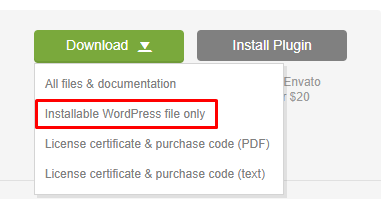
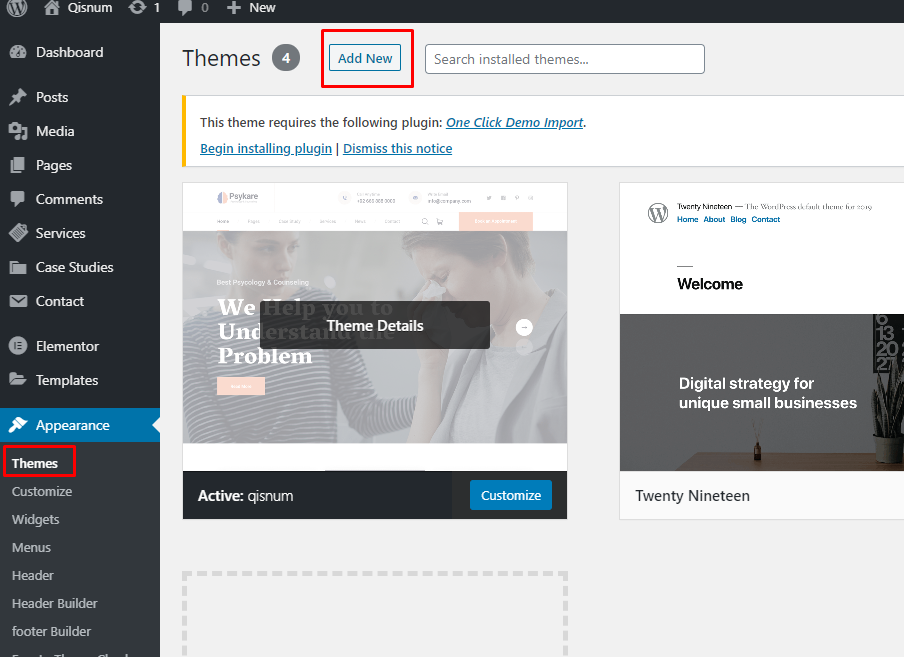
After downloading, upload via-
- Ftp: Wp-content > themes folder
- WordPress Dashboard: Appearance > Themes
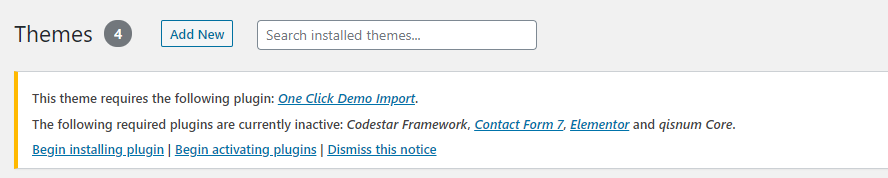
Install and active all required plugins
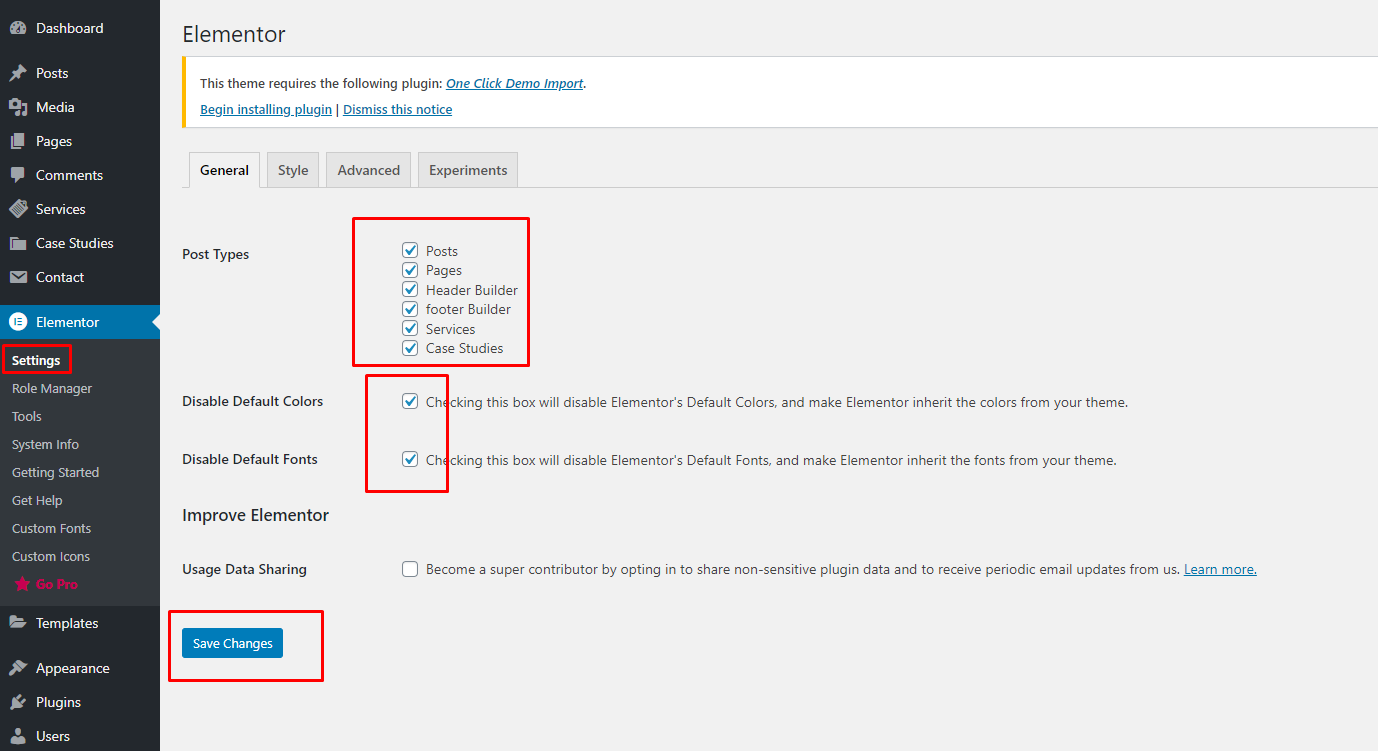
How to import demo
Some settings have to be done before import demo. Follow screenshot-
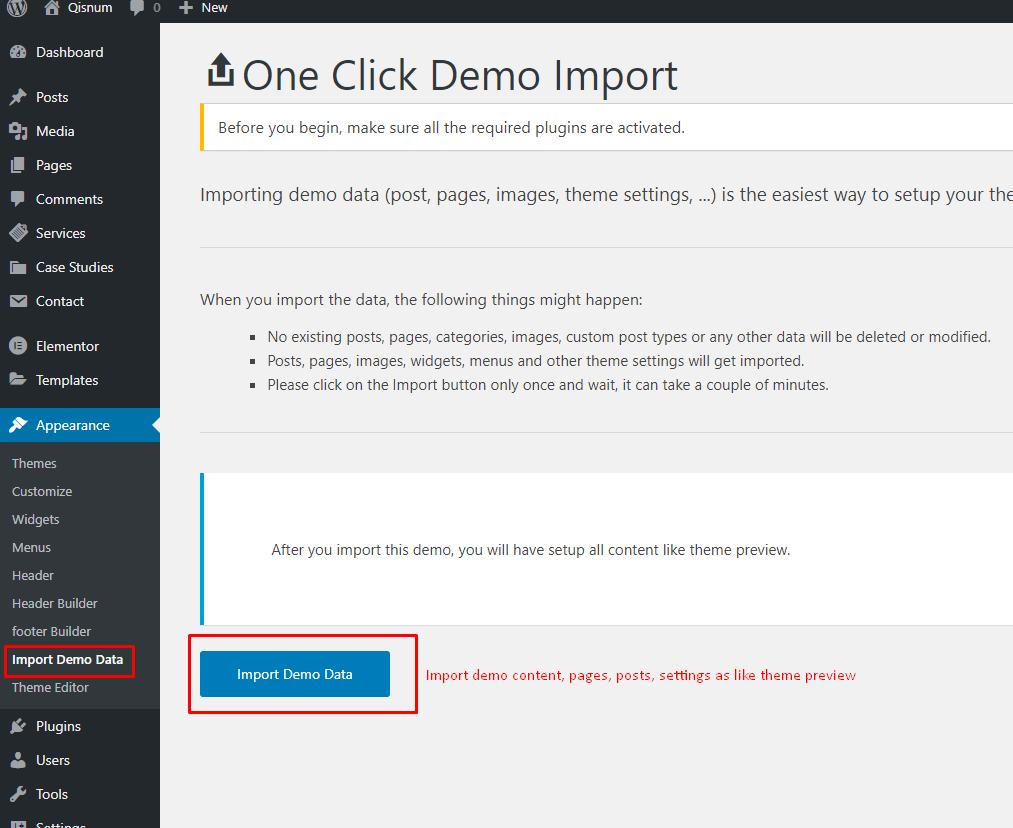
Now it's time to import demo data (similar as theme preview). Follow the screenshot-
Header settings
Qisnum theme have 2 header styles. You can customize all contents and elements.
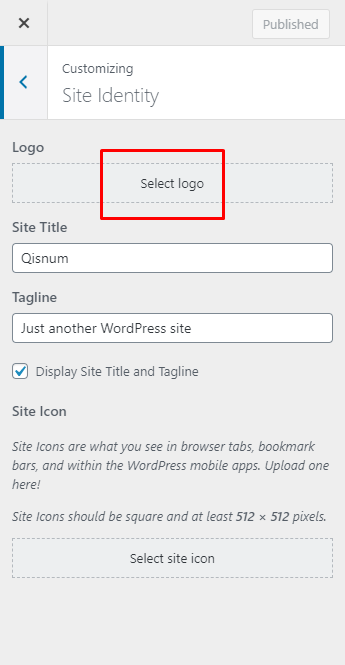
Add / change logo
for changing logo, go to Appearence > Customize > Site identity
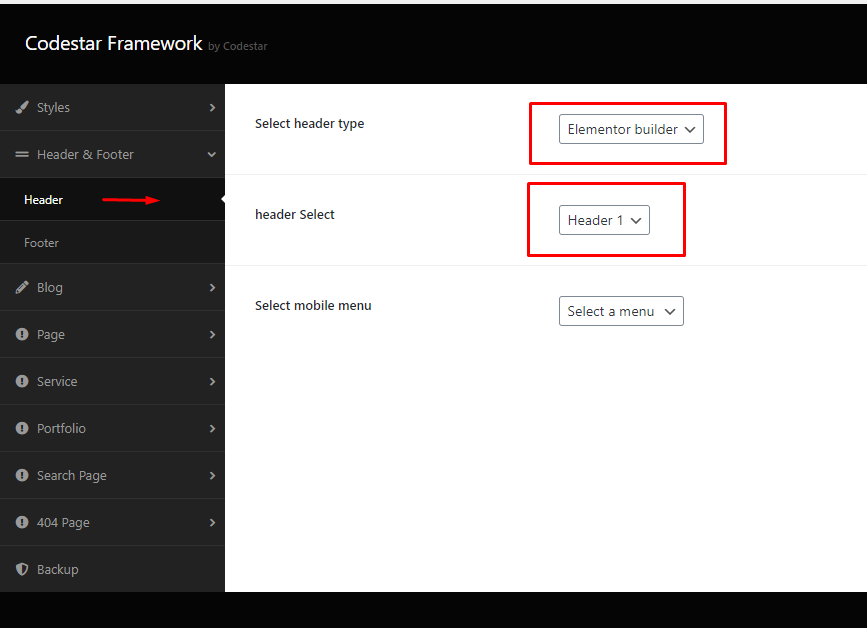
Select header style
Go to Appearence > Theme options > Header
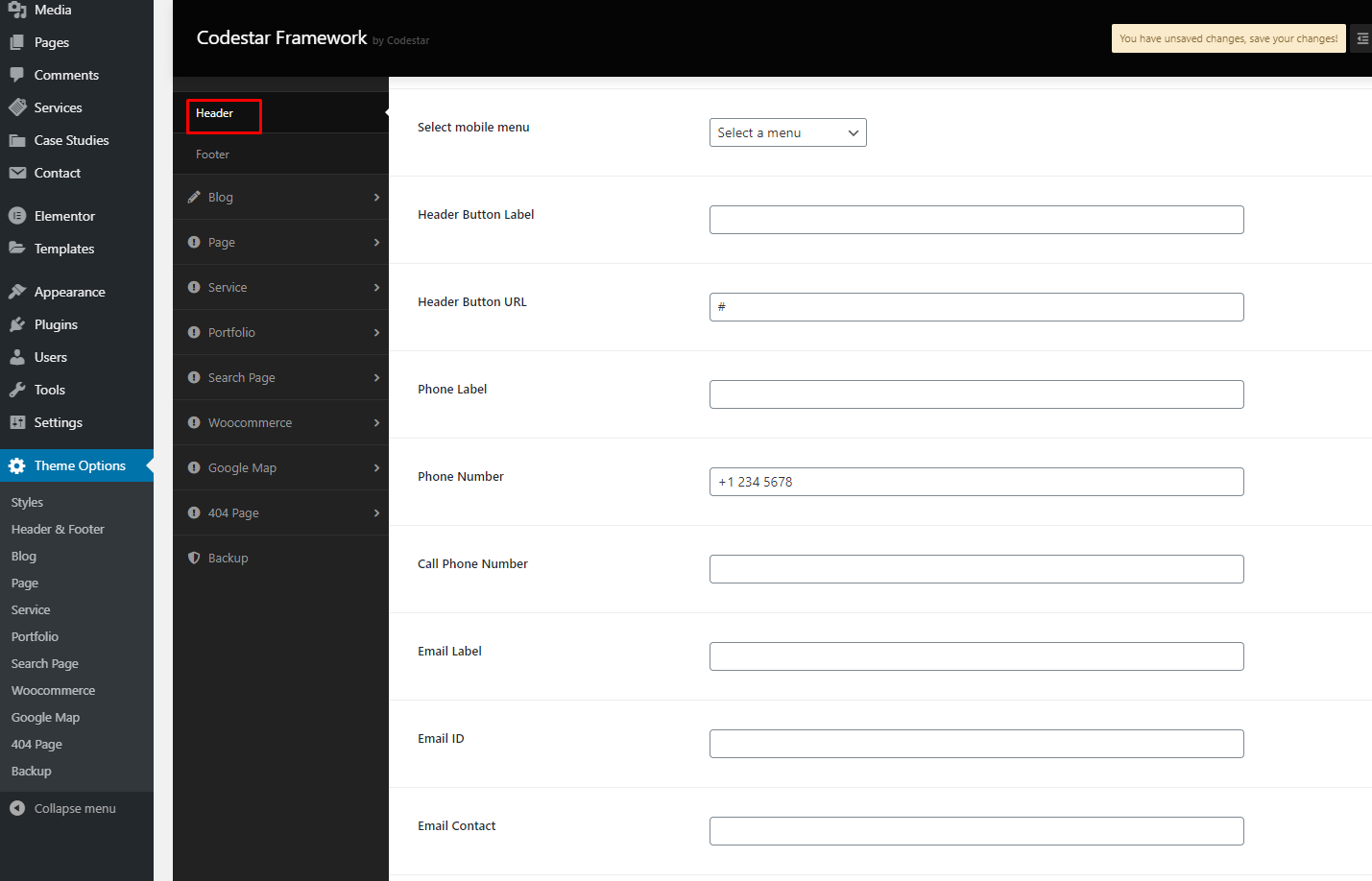
Header top content
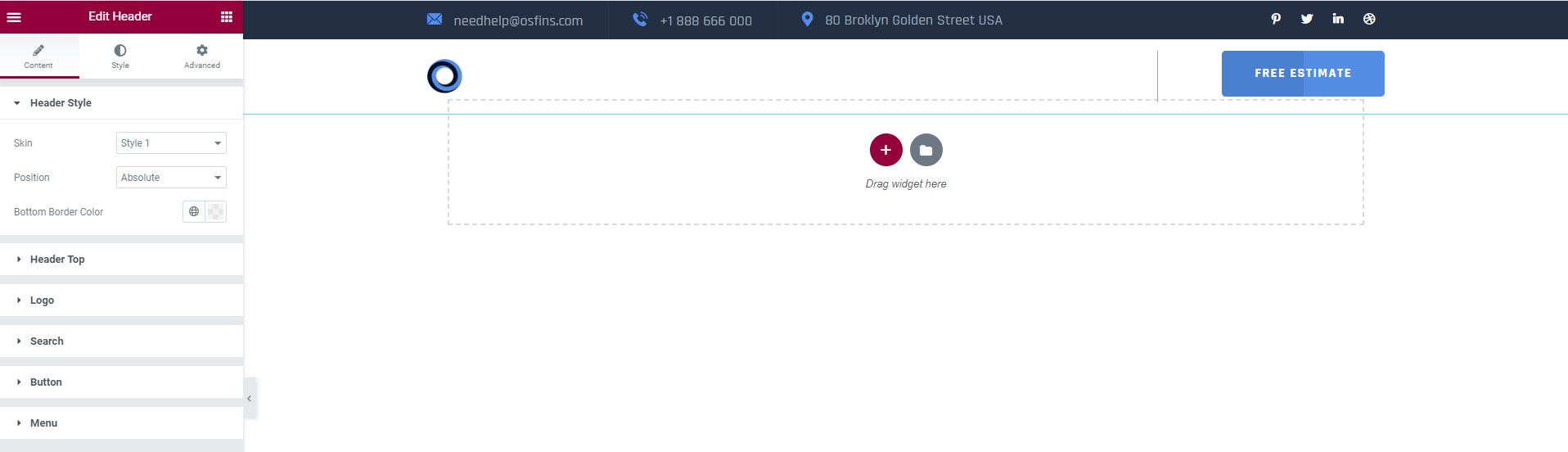
Header Builder
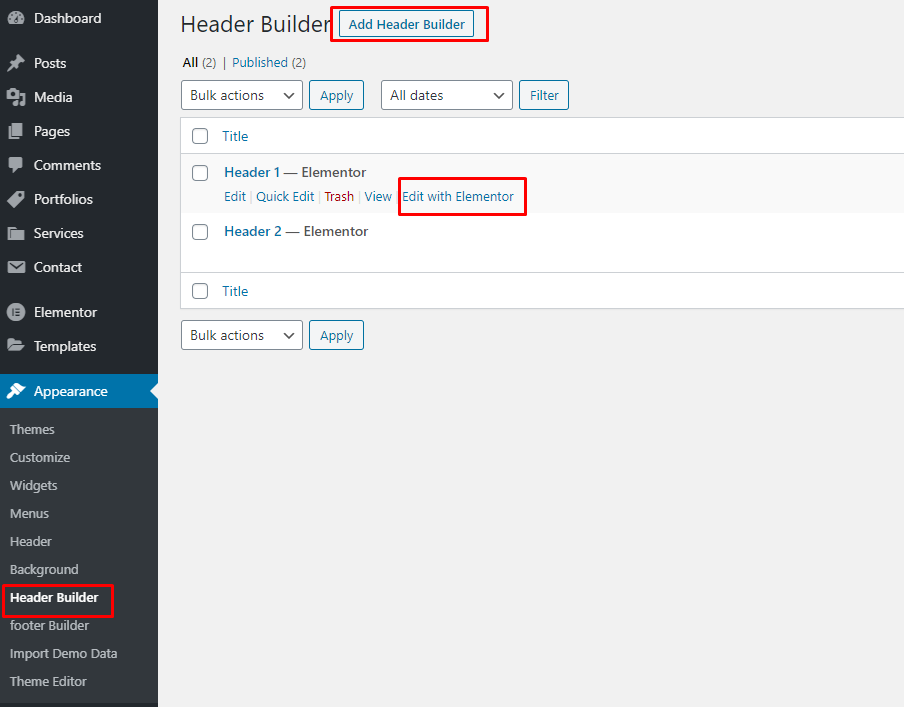
Header Elementor Builder
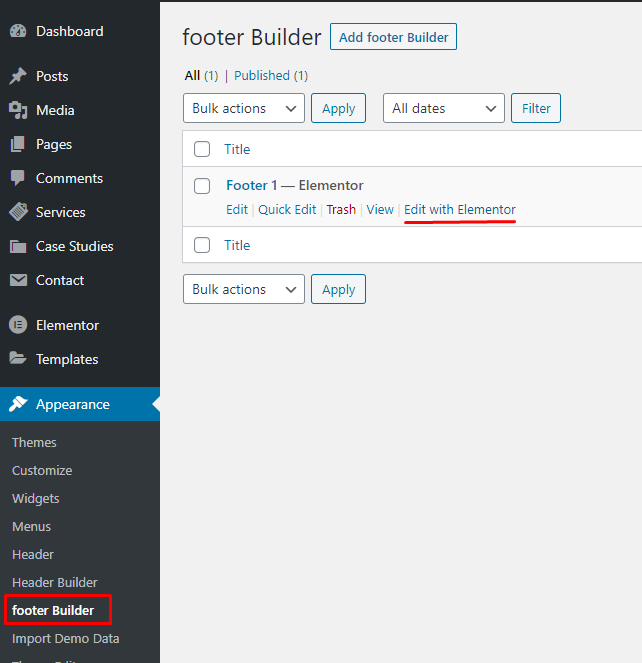
Footer settings
Customize footer elements
First, go to Appearence > Footer builder, then click "Edit with Elementor".
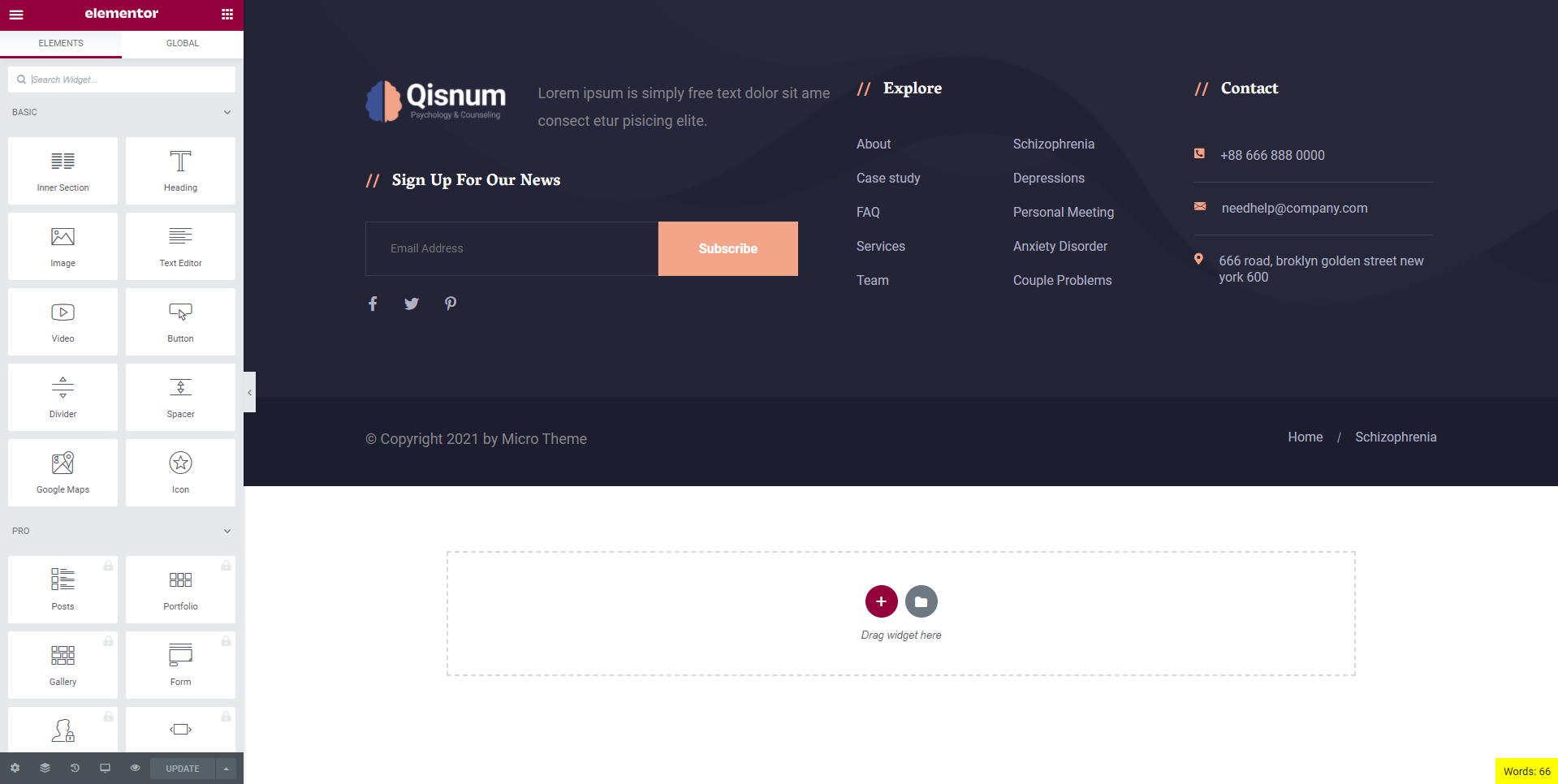
Now, you can customize using elementor
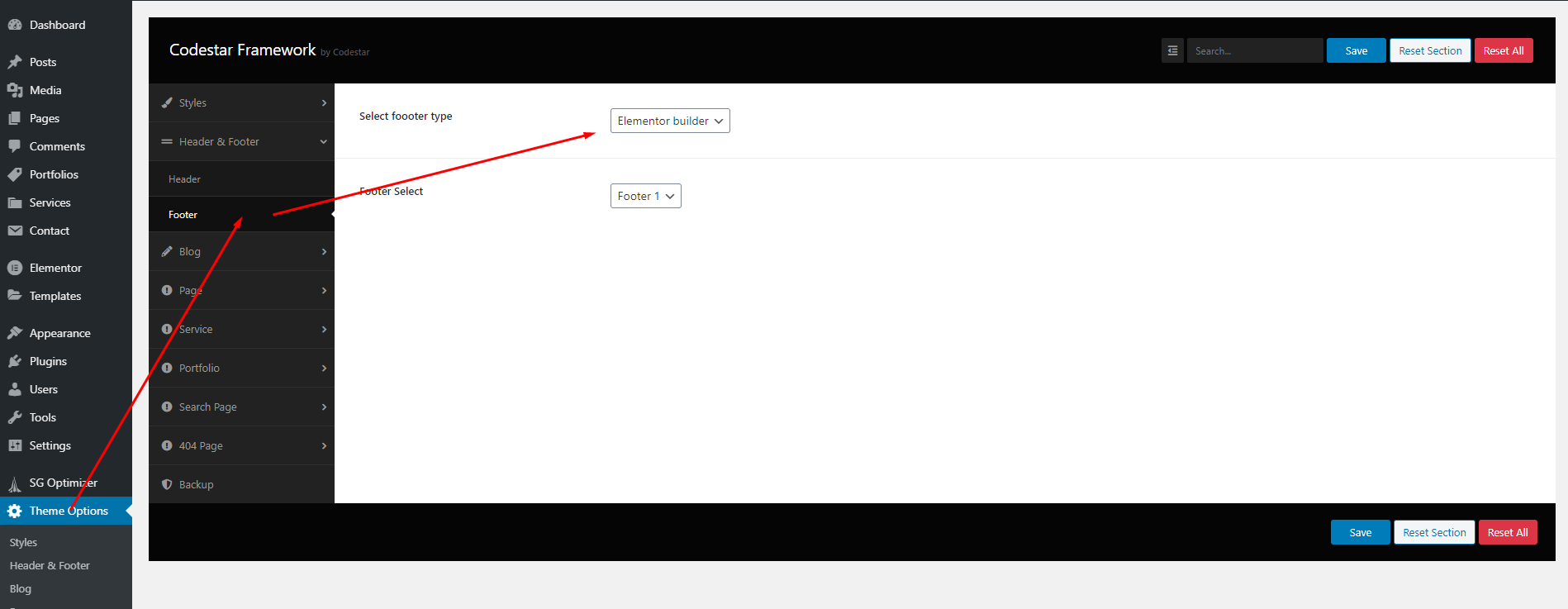
If you added new footer from Appearence > Footer builder , aactive footer from theme
options
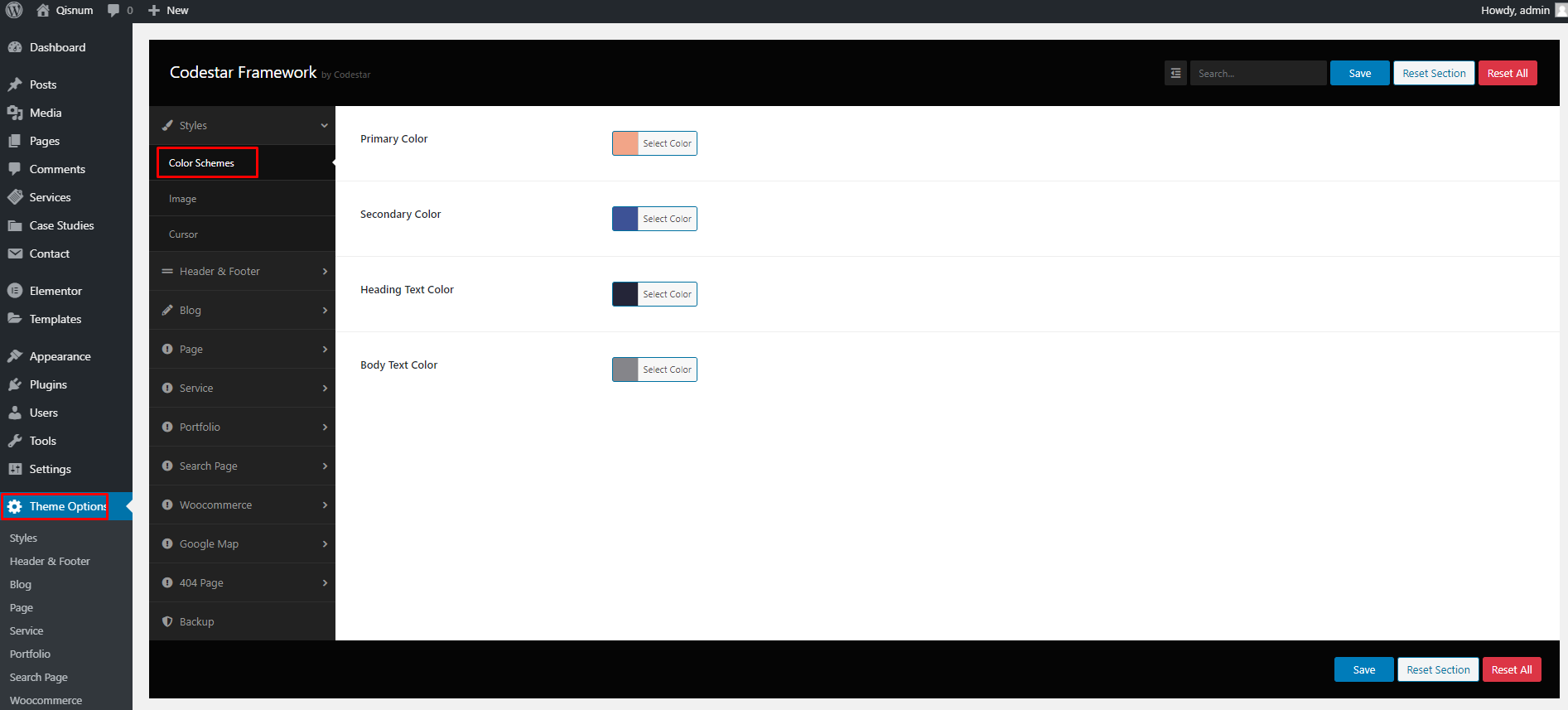
Color schmes settings
Go to theme options > Color schemes
Blog settings
Go to theme options > Blog

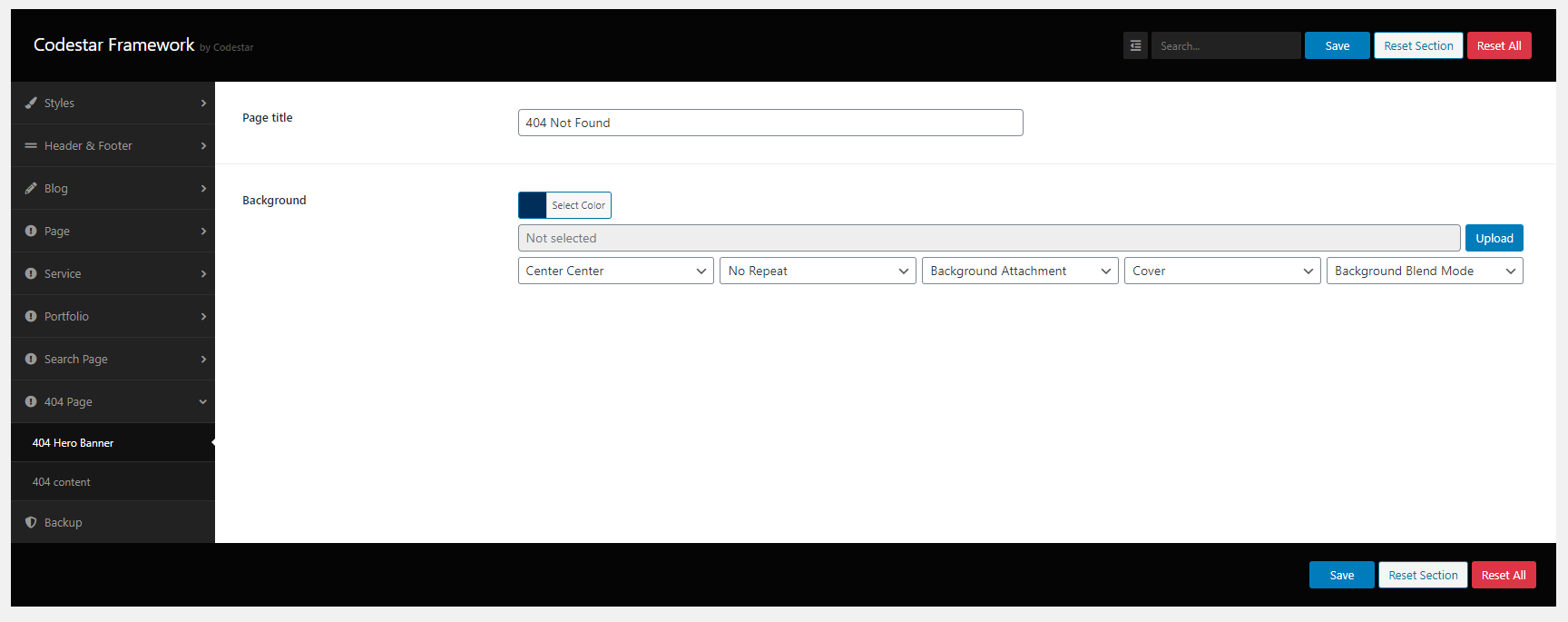
404 page settings
Go to theme options > 404 page
Translation settings
This theme is compatible with WPML. You can use the following plugins for translation